
LawnNova is still in closed beta. If you are on Google Play closed testing, the drop on your phone is build 24. It replaced 22 on 1 September. There was no 23. Everything below is already in that drop. Work that landed after 24 is in a later update.
I’m Steve. This is me talking, not a changelog written by committee.
The how-to tour
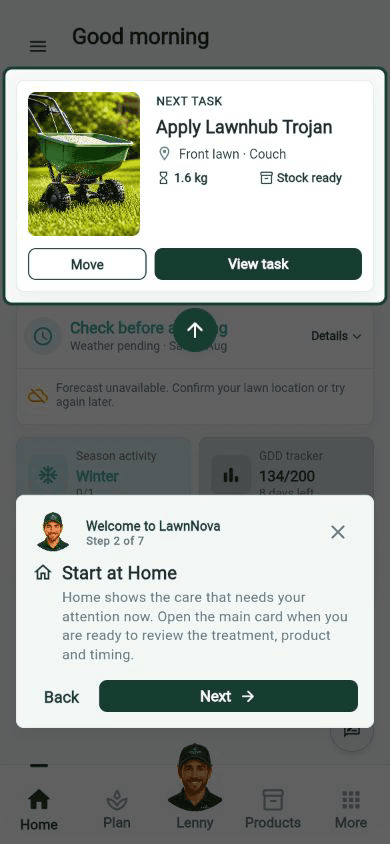
After setup, Lenny walks you around the app. Welcome to LawnNova is seven short steps. It is a how-to, not a slideshow. Home first, then Plan, then Products, then where to tap Lenny again.
Step 2 is Start at Home. The main card is the job that needs you now. Open it when you are ready to review the treatment, the product, and the timing. Move sits next to View task if the date is wrong.
If you closed it the first time, tap Lenny, then Show me around. Same walk. It will not change your lawn or schedule.
Turn the reminders on
New onboarding now defaults treatment reminders on, with a day-before ping. That default is for new setups. It was not written back over accounts that were already live. If you joined before that change, LawnNova left your old choice alone.
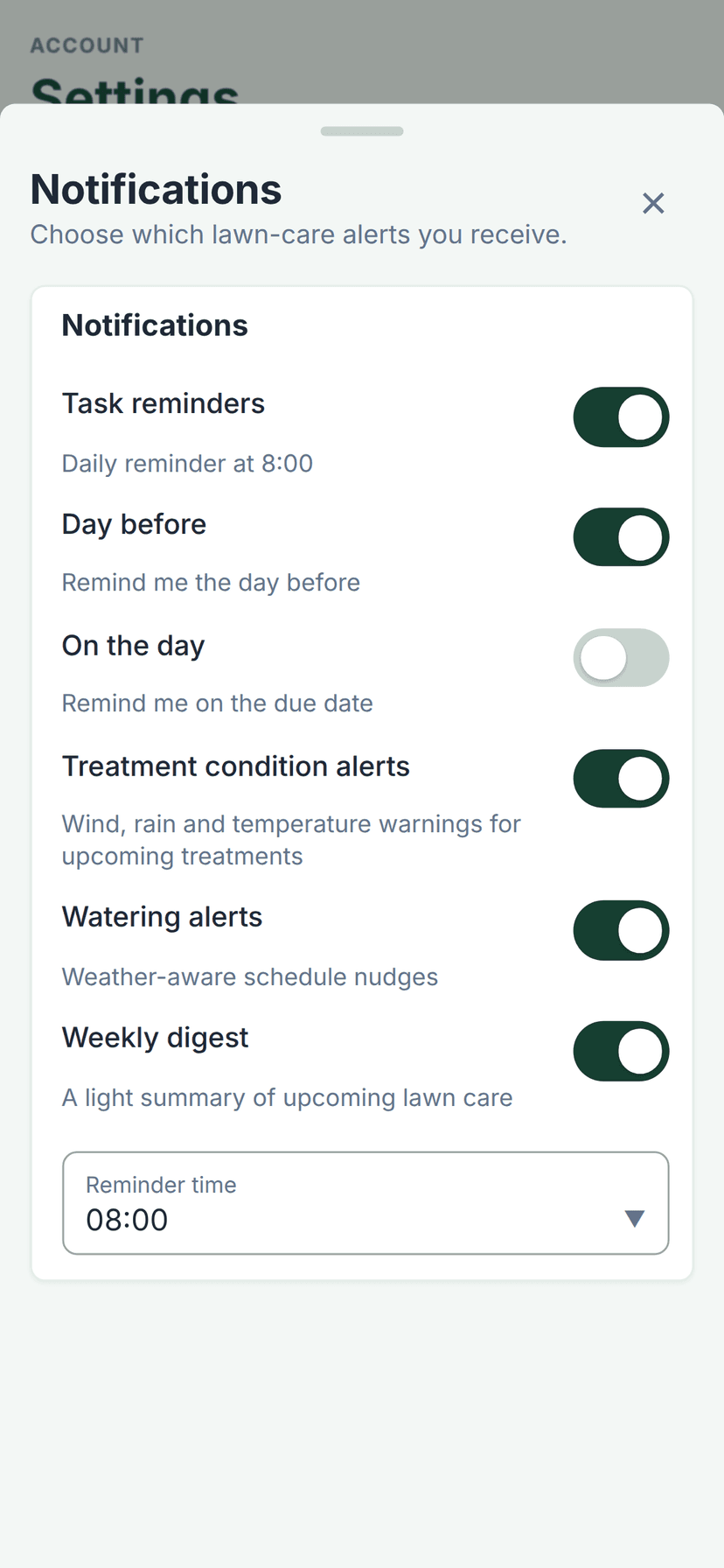
If alerts are quiet, they are probably still off. Open the menu, tap Settings, then Notifications.
Turn on Task reminders. Day before is the one I want most testers using. On the day is optional. Treatment condition alerts, watering alerts, and the weekly digest live on the same sheet. Reminder time is the hour those pings fire.
Face ID, if you skipped it
New setups get offered device unlock after reminders. Face ID on iPhone. Face unlock or fingerprint on Android. Same rule as alerts: we did not flip existing accounts on, and Not now is a real answer.
If you skipped it, go turn it on. A beta build with your lawn on it should not open because someone picked up the phone. Open the menu, Settings, then App lock. Protect this device with Face ID, or whatever your phone actually uses. It only unlocks LawnNova. It does not change your schedule.
Analytics stays a choice
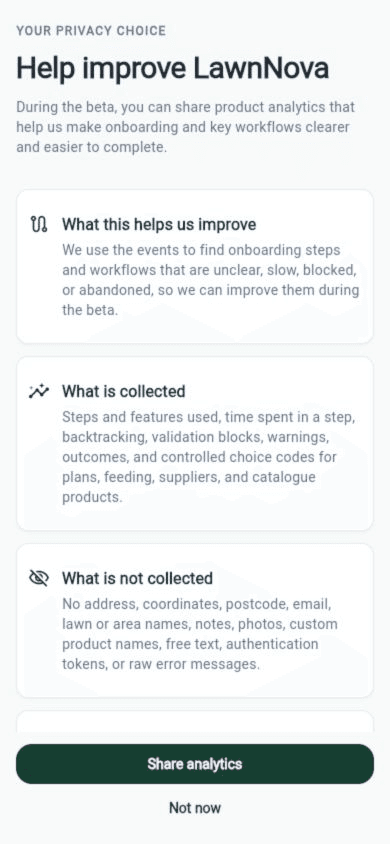
The same Settings screen is where product analytics lives, under Privacy. It is opt-in. If you already said no, that was not flipped for you either.
I tightened what we look at during the beta so the events actually tell us where onboarding and key workflows get stuck. No lawn names, no photos, no addresses. You may have seen the choice during setup. If you skipped it, Settings, Privacy, then Review and turn on. You can turn it off later and future events stop.
Ask Lenny what is next
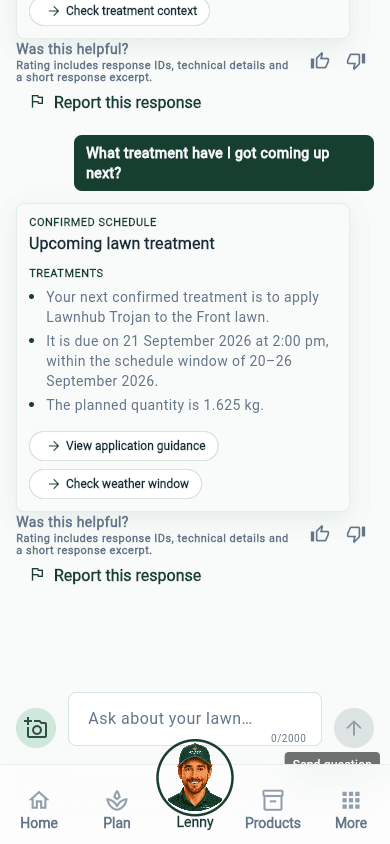
Ask Lenny is in these builds. Tap the Lenny tab and ask a plain question. What treatment have I got coming up next is a good one. You should get the confirmed job, the lawn, the window, and the planned quantity, with a way into guidance or the weather window.
If the gateway hiccuped, the chat used to fail the request. It now retries those blips instead of leaving you staring at a dead reply. Lenny still will not change your lawn or schedule unless you ask.
Also already in 22 and 24
You can edit the planned rate on a scheduled treatment. Getting to that editor from More details is a later change.
Completing a treatment keeps the quantities you used, instead of dropping them.
Beta feedback can take a photo or screenshot with the note, so I am not guessing from a paragraph.
The month calendar area bar was spanning the wrong days. That is fixed.
Reschedule now shows a product-aware carousel, so you can see what you are actually moving.
None of this is in the public App Store yet. If you are already on build 24, this is the work on your phone. Keep sending feedback, especially with a screenshot attached.
If you want in, apply at lawnnova.com.au/beta.
Steve